
September 30, 2026
Parent Pro Tip for the HPS Mobile App - Contacting Your School
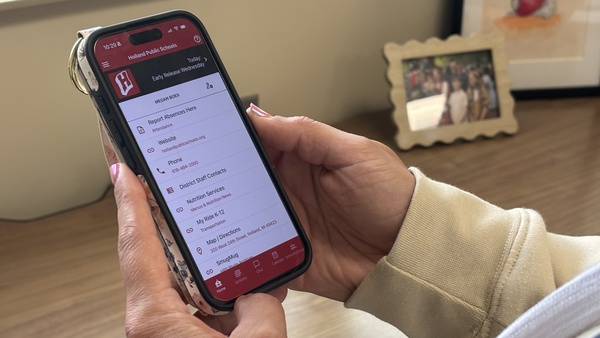
Reaching out to someone at your child's school OR contacting a district official is super simple with the new HPS Mobile App
Contact someone at your school (Contact information for DISTRICT Staff is found under the HOME tab.):
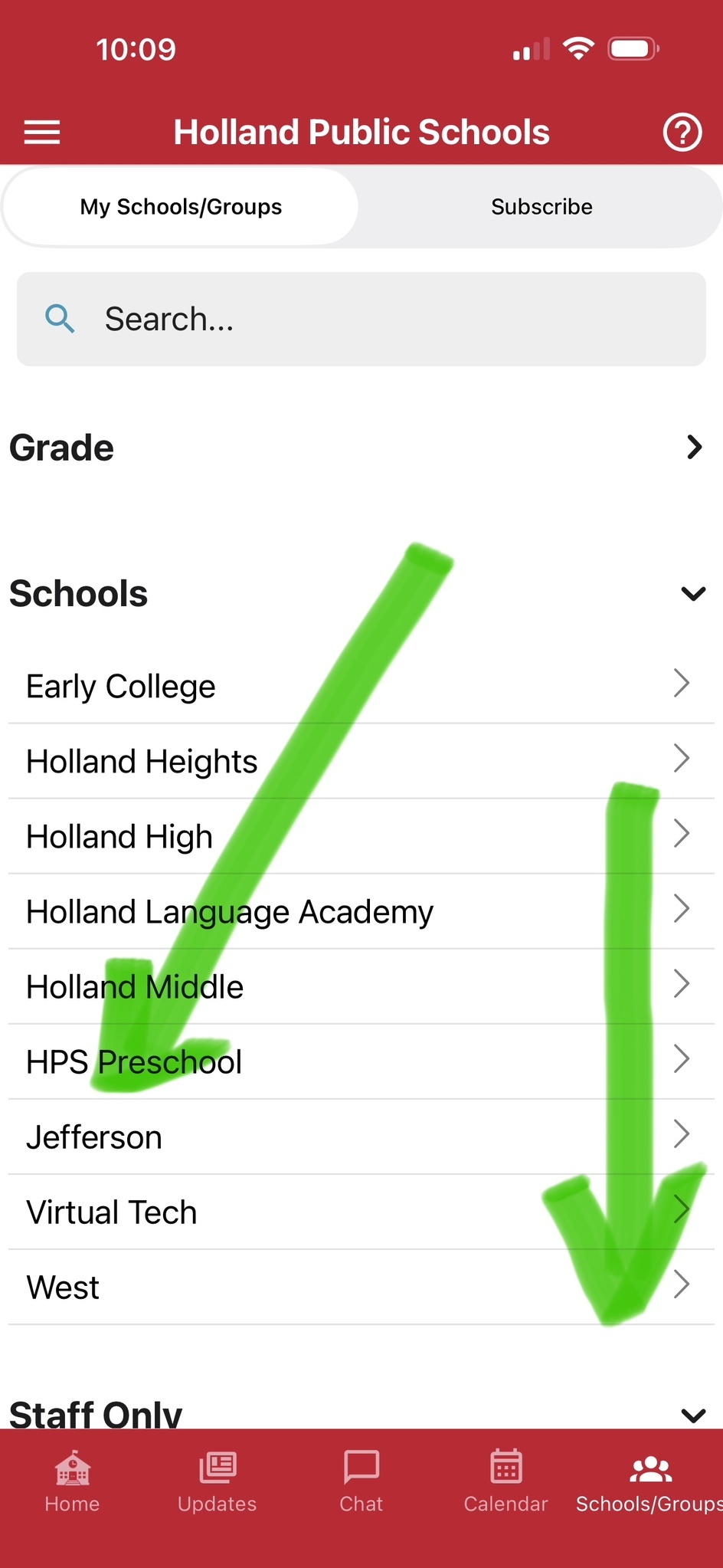
- click SCHOOLS/GROUPS in bottom right
- Click your SCHOOL
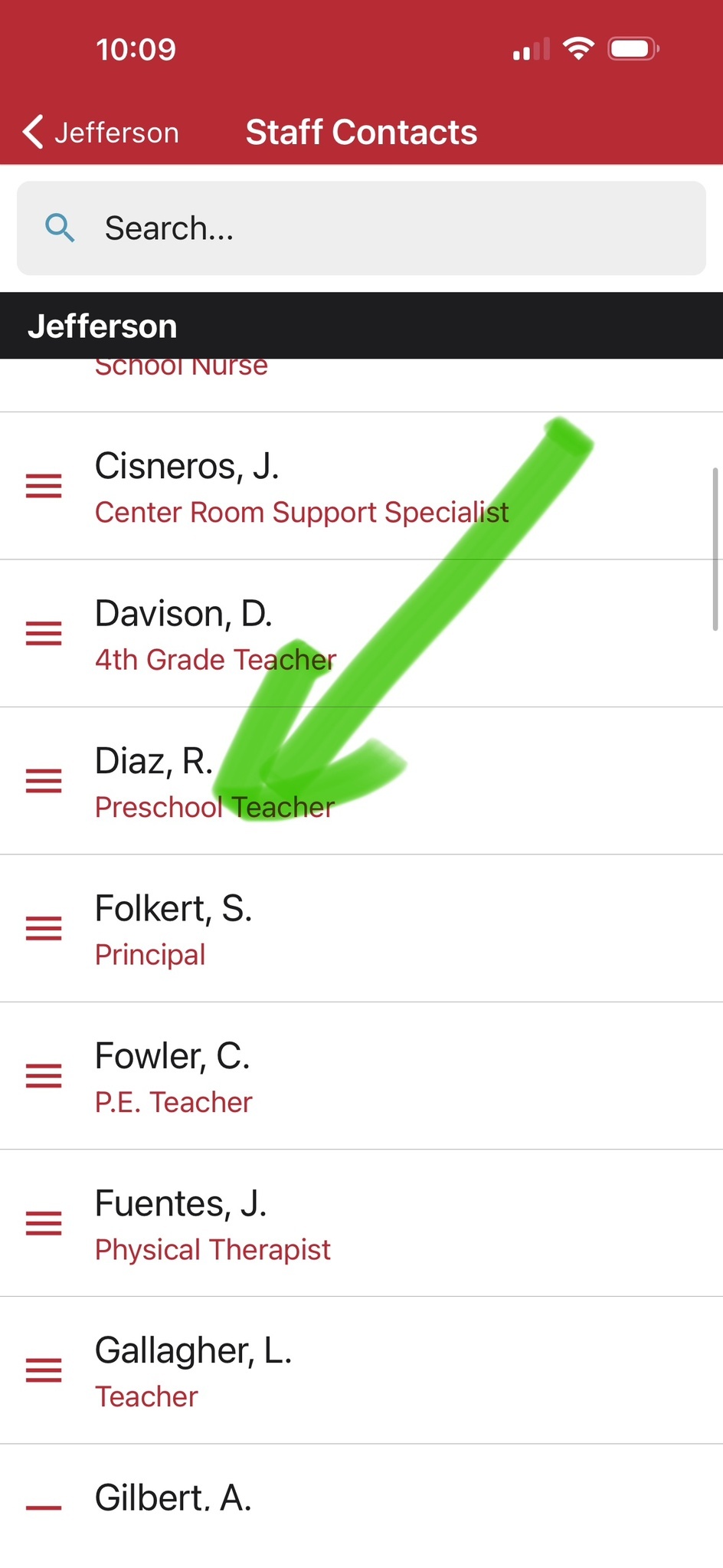
- Click STAFF CONTACTS
- click on the name of the person you need to contact
Contact a District Official (Contact information for Building Staff is found under the SCHOOL/GROUPS tab.):
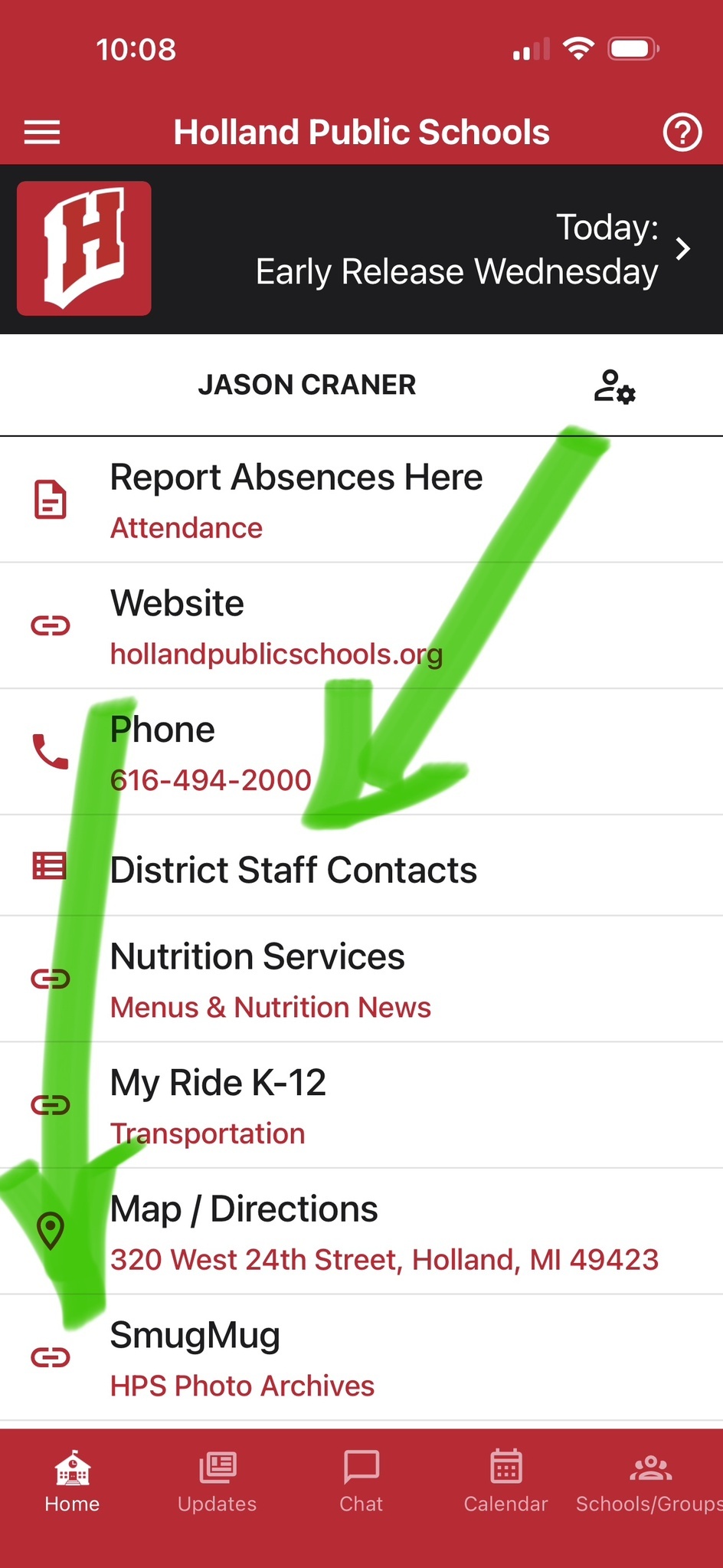
- click HOME In the bottom left
- click DISTRICT STAFF CONTACTS
- click on the name of the person you need to contact
If the staff members has downloaded the mobile app, you can start a CHAT. OR If they haven't downloaded the mobile app, you can still send them an email.